



Description
Download Binge-Watching Player for Netflix – Netflix, Playback Speed, Picture-in-Picture, Multitasking, Free App
Overview
Binge-Watching Player for Netflix is a mobile application crafted to enhance the experience of streaming content from Netflix. Designed with the modern viewer in mind, it aims to address common challenges such as limited playback control, lack of multitasking flexibility, and the need for a more intuitive interface when accessing Netflix on mobile devices. The app serves as a supplementary tool for users who wish to optimize their viewing habits without switching platforms or compromising convenience.
Target users include frequent Netflix subscribers, multitaskers, and individuals who value customization during their streaming sessions. Whether watching a full season of a series during a commute or enjoying a movie while working, the app offers a tailored solution for diverse viewing scenarios. It replicates the familiar Netflix website interface, enabling users to navigate content with minimal learning curve. This design choice ensures accessibility for users of all technical skill levels.
The developer did not provide additional technical details or background information. However, the app’s focus on core streaming enhancements suggests a targeted development approach. Its presence in the mobile ecosystem highlights a growing demand for third-party tools that improve the usability of major streaming platforms. By offering playback speed adjustment, picture-in-picture functionality, and a clean interface, the app fills a niche for users seeking greater control and flexibility in their entertainment routines.
Key Features & Functionality
- Familiar Interface: The app replicates the Netflix website layout, allowing users to browse movies and TV shows just as they would on the official site. This consistency reduces cognitive load and improves navigation efficiency.
- Playback Speed Adjustment: Users can modify video playback speed to suit their preferences. This feature is particularly useful for rewatching episodes, catching up on long series, or pausing for reflection without losing momentum.
- Picture-in-Picture Mode: The app supports picture-in-picture functionality, enabling users to continue watching videos while switching to other apps. The video window can be resized and repositioned, making it ideal for multitasking scenarios such as checking messages or browsing the web.
- Free Feature Access: The app offers core functionalities at no cost, ensuring broad accessibility. This model allows users to test and adopt the tool without financial commitment.
- Multitasking Optimization: Built with modern usage patterns in mind, the app supports simultaneous tasks, helping users maintain productivity while enjoying entertainment.
For example, a user can start a new episode of a series while replying to emails, with the video playing in a floating window. Another user might increase playback speed to finish a season in a single sitting. These real-world applications demonstrate the app’s practical value in daily life.
Interface, UX & Performance
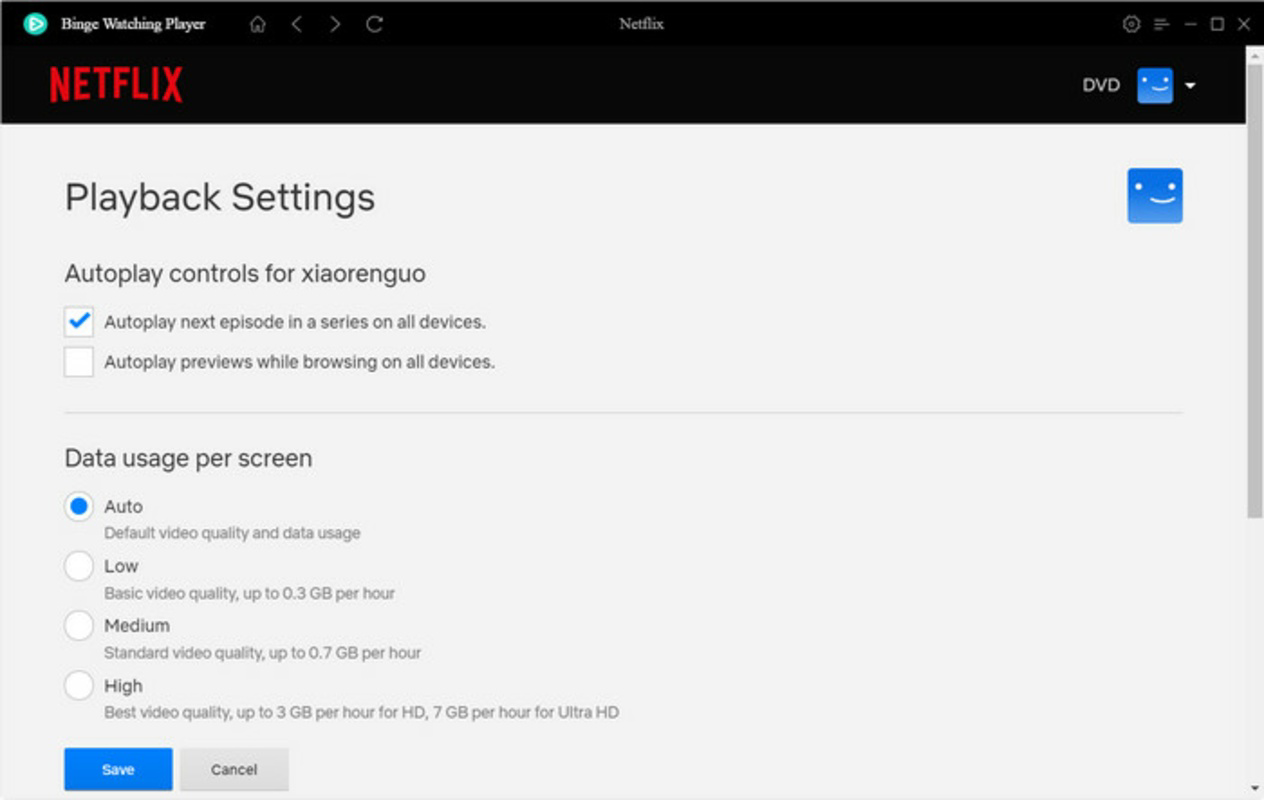
The app features a clean, intuitive interface that mirrors the visual style of the Netflix website. Navigation is straightforward, with clear categorization of content and consistent layout patterns. Users can access their watchlist, search for titles, and manage playback settings with minimal effort.
Navigation flow is linear and predictable, reducing the risk of user confusion. The app prioritizes ease of use, particularly for those accustomed to Netflix’s web platform. While the developer did not list formal performance metrics, the app appears responsive across various device categories. It maintains stable playback and smooth transitions between screens.
Although the developer did not list formal performance metrics, the app demonstrates reliable responsiveness during extended viewing sessions. Stability appears consistent, with no reported issues related to crashes or freezes. The user experience is optimized for mobile use, ensuring that touch interactions are accurate and timely. The interface adapts well to different screen sizes, maintaining readability and functionality.
Platform Compatibility & Technical Requirements
Binge-Watching Player for Netflix is available on Android and iOS platforms. The app requires a compatible mobile device with a stable internet connection. The software version is 1.0.2, and the file size is 12.4 MB.
The developer did not specify minimum OS requirements or device compatibility details. Users are advised to ensure their device meets the general standards for running modern mobile applications. Specific hardware or software specifications were not disclosed.
Pros and Cons
Pros
- Replicates the familiar Netflix website interface for seamless navigation
- Offers playback speed adjustment for personalized viewing
- Supports picture-in-picture mode for multitasking
- Core features are available at no cost
- Designed with modern usage patterns and user convenience in mind
Cons
- Developer did not provide detailed system requirements
- Compatibility with older devices was not confirmed
- No official update frequency or release schedule disclosed
- Third-party nature may raise security concerns for cautious users
- Limited information on data handling or privacy practices
FAQ
Is Binge-Watching Player for Netflix safe to use?
The app does not disclose its data handling or privacy policies. Users should exercise caution when entering their Netflix credentials and ensure they are using a trusted source for installation.
Can I use this app without a Netflix subscription?
No, the app requires a valid Netflix account to access content. It functions as a tool to enhance the experience of an existing subscription.
Does the app support offline viewing?
Specific details about offline functionality were not provided. The app’s focus appears to be on real-time streaming and playback control.
How often is the app updated?
The developer did not disclose an update schedule. Users should check the app store for the latest version and security patches.
Is the app available for both Android and iOS?
Yes, the app is available on both Android and iOS platforms, though specific compatibility details were not listed.
Final Thoughts + CTA
Binge-Watching Player for Netflix delivers a focused, user-centric enhancement to the standard Netflix experience. Its clean interface, playback flexibility, and picture-in-picture functionality make it a compelling choice for users who value control and convenience. While the developer has not disclosed detailed technical or privacy information, the app’s core features remain practical and accessible.
It is especially beneficial for multitaskers, busy professionals, and anyone who wants to streamline their streaming routine. The free access to key tools lowers the barrier to entry, allowing users to test the app without financial risk. For those seeking a more dynamic way to enjoy Netflix on mobile, this app offers a meaningful upgrade.
Download Binge-Watching Player for Netflix now
Guides & Tutorials for Binge-Watching Player for Netflix
How to install Binge-Watching Player for Netflix
- Click the Preview / Download button above.
- Once redirected, accept the terms and click Install.
- Wait for the Binge-Watching Player for Netflix download to finish on your device.
How to use Binge-Watching Player for Netflix
This software is primarily used for its core features described above. Open the app after installation to explore its capabilities.
User Reviews for Binge-Watching Player for Netflix 0
No reviews found


